
Real Estate Lead Tracker in Excel: 10 Easy Columns for Agents
A simple real estate lead tracker decides how many enquiries become site visits. Most agents lose leads not because the customer said no, but because nobody followed up on time. A tracker puts every lead, every call and every follow-up date in one place.
In this guide, you will learn the 10 columns of a real estate lead tracker in Excel, the formulas for follow-ups and EMI, and a daily routine for flat and plot agents. It suits channel partners, brokers and small property dealers.
Table of Contents
- Why Every Agent Needs a Real Estate Lead Tracker
- Real Estate Lead Tracker: 10 Columns
- Lead Stages That Keep You Organised
- Excel Formulas for a Real Estate Lead Tracker
- Follow-Up Routine for Agents
- Track Your Lead Sources
- Site Visits and Deals
- Sample Real Estate Lead Tracker
- Flats vs Plots in Your Lead Tracker
- Message Templates for Your Lead Tracker
- Common Lead Tracking Mistakes
- A Ready-Made Lead Generation Kit
- Frequently Asked Questions
Why Every Agent Needs a Real Estate Lead Tracker
Property buyers take weeks or months to decide. During that time, they talk to many agents. The agent who follows up politely and on time is often remembered.
- No lost leads: every enquiry has a next follow-up date.
- Better focus: you can sort hot leads from cold ones.
- Clear results: you see which source brings real visits.
Real Estate Lead Tracker: 10 Columns
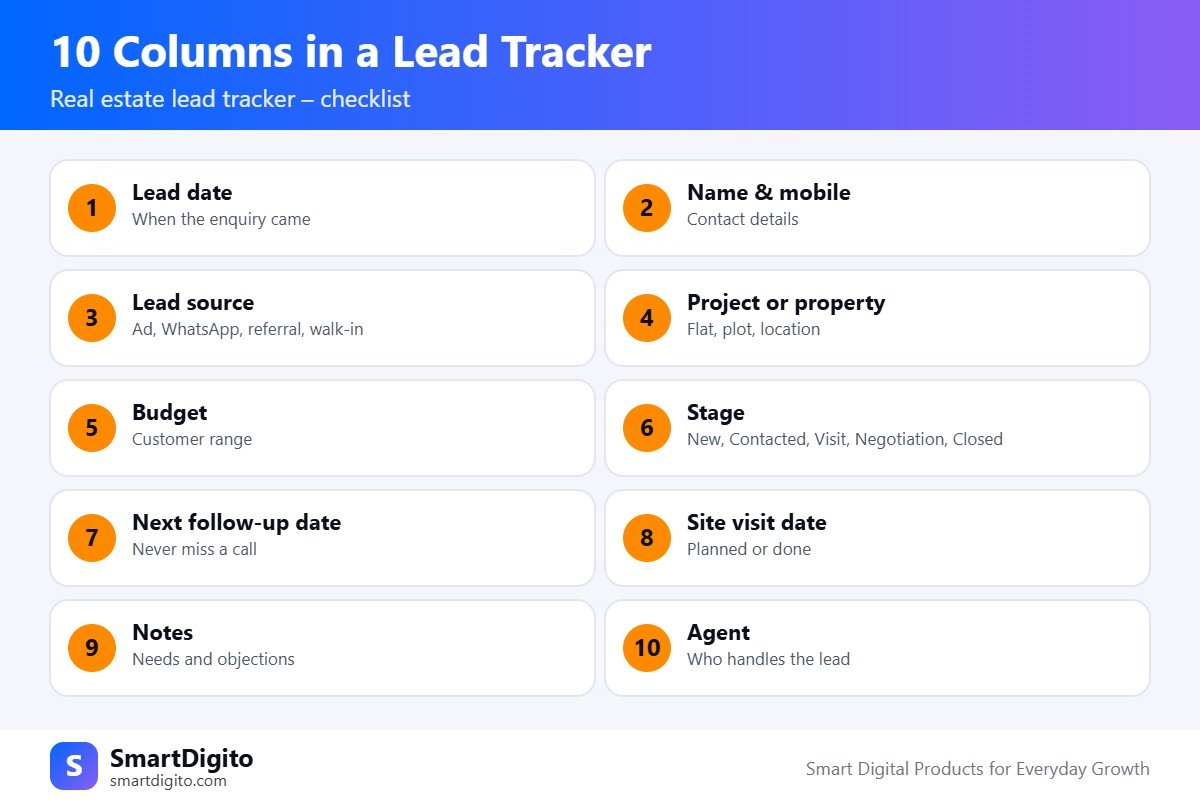
Start your real estate lead tracker with these ten columns.
- Lead date. The day the enquiry came.
- Name and mobile. Contact details of the customer.
- Lead source. Facebook ad, WhatsApp, referral, board or walk-in.
- Project or property. Flat, plot or farm land, with location.
- Budget. The customer’s range in rupees.
- Stage. New, Contacted, Site Visit, Negotiation or Closed.
- Next follow-up date. The date you will call again.
- Site visit date. Planned or completed.
- Notes. Needs, objections and family details.
- Agent. Who handles the lead, if you have a team.
Lead Stages That Keep You Organised
A stage column makes your real estate lead tracker powerful. Use a dropdown, so the spelling is always the same.
- New: enquiry received, not yet called.
- Contacted: you spoke to the customer.
- Site Visit: a visit is fixed or done.
- Negotiation: price and terms are being discussed.
- Closed or Lost: the deal is done or the customer dropped out.
Excel Formulas for a Real Estate Lead Tracker
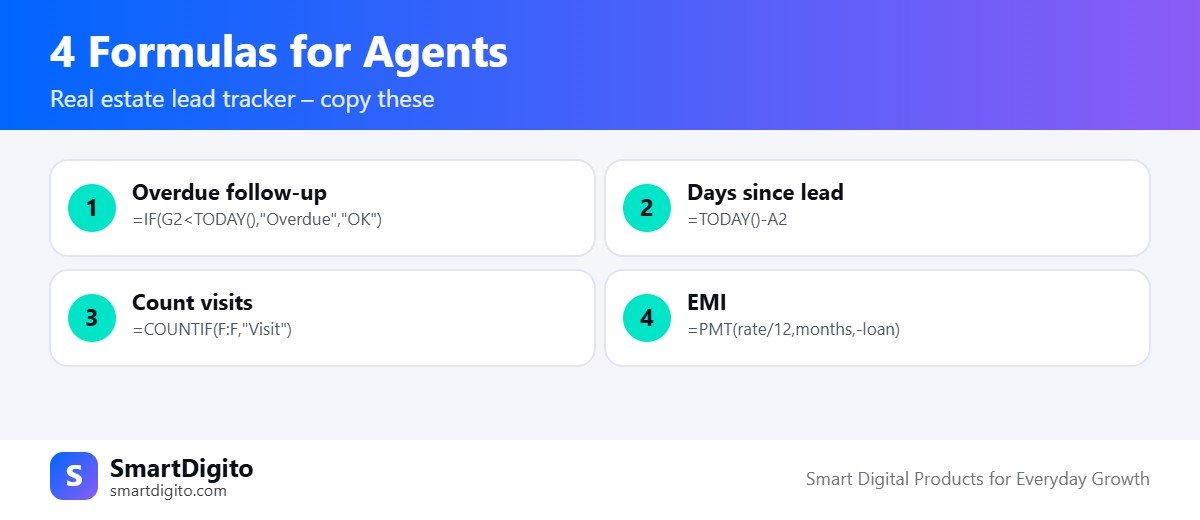
Assume the lead date is in column A, the stage is in column F and the follow-up date is in column G.
Overdue follow-up flag:
=IF(G2<TODAY(),"Overdue","OK")Days since the lead came:
=TODAY()-A2Number of leads at the site visit stage:
=COUNTIF(F:F,"Site Visit")Monthly EMI for a loan, which helps in price talks:
=PMT(rate/12,months,-loan)These small formulas make a real estate lead tracker work like a mini CRM. You can read about each function in the Microsoft Excel help centre.
Follow-Up Routine for Agents
A tracker only helps if you open it daily. Use this routine.
- Every morning: filter the follow-up column for today and overdue leads.
- After every call: update the stage, the notes and the next follow-up date.
- Every evening: check tomorrow’s site visits and confirm with the customers.
- Every week: review lost leads and call the ones who may be ready again.
Track Your Lead Sources
Agents often spend money on ads without knowing which source works. Add a column for the lead source and count the site visits from each source.
After a month, your real estate lead tracker shows which source gives real visits and which only gives calls. Spend more where the visits come from. Results depend on your market, your project and your effort.
Site Visits and Deals
Keep a second sheet for site visits, with date, project, who attended and the customer’s feedback. Keep a third sheet for deals, with the unit, the deal value and the commission.
When a deal closes, change the stage to Closed in your real estate lead tracker, and copy the details to the deals sheet. Check GST, TDS and commission rules with your CA, because they change.
Sample Real Estate Lead Tracker
This table shows how a real estate lead tracker can look. The data is only an example.
| Date | Name | Source | Project | Budget | Stage | Next follow-up |
|---|---|---|---|---|---|---|
| 01 Nov | Mr. Joshi | Facebook ad | 2 BHK, Wakad | ₹65 lakh | Site Visit | 05 Nov |
| 02 Nov | Mrs. Kale | Referral | NA plot, Hinjewadi | ₹40 lakh | Contacted | 04 Nov |
Common Lead Tracking Mistakes
- Saving numbers on the phone but not in the tracker.
- Not writing the next follow-up date.
- Calling too often or too rarely.
- Not marking lost leads, so the list becomes messy.
- Forgetting to record the source of the lead.
A Ready-Made Lead Generation Kit
If you want a complete system, the Real Estate Lead Generation Kit for Channel Partners includes an Agent Manager workbook with leads, site visits, deals and commission, a Property Cost Sheet and EMI Maker, a lead generation playbook, ad creatives, WhatsApp templates and a six-month content calendar. It does not guarantee leads or sales.
Flats vs Plots in Your Real Estate Lead Tracker
Flat buyers and plot buyers ask different questions, so adjust your real estate lead tracker.
- Flats: add columns for BHK, floor, possession date and loan need.
- Plots: add columns for plot size, NA status, road width and approval details.
- Both: keep budget, stage and next follow-up date in the same place.
If you sell both, add a “property type” dropdown, so you can filter your real estate lead tracker quickly.
Message Templates for Your Real Estate Lead Tracker
Keep three short messages ready. Edit the details before you send them, and send each message yourself.
- First reply: “Hello [Name], thank you for your interest in [Project]. May I know your budget and preferred location?”
- Follow-up: “Hello [Name], I am following up about [Project]. Would you like to see the brochure or visit the site this weekend?”
- Visit confirmation: “Hello [Name], your site visit is on [Day] at [Time]. Here is the location. Please call me if you need help.”
Record each message in the notes column of your real estate lead tracker, so you know what was said and when.
Frequently Asked Questions
What should a real estate lead tracker include?
It should include the lead date, contact, source, project, budget, stage, next follow-up date, site visit date, notes and agent.
Can I use Excel as a real estate CRM?
Yes, for a small team. Excel can track leads, stages and follow-ups with simple formulas and dropdowns.
How often should I follow up with a lead?
It depends on the stage. Hot leads may need a call every few days, while cold leads can be checked weekly or monthly.
How do I know which lead source is best?
Record the source for every lead and count the site visits from each source after a month.
Final Thoughts
A real estate lead tracker turns scattered enquiries into a clear daily plan. Set up the 10 columns, add the formulas, and open it every morning. Consistent follow-up is what most agents miss.
Note: This guide is general information and not legal, tax or investment advice.